

Simple ticketing tools
- Best for
- One public event at a time, with free or paid tickets.
- How you pay
- Often free to start, with a fee on each paid ticket.
- Limits
- Few attendee types, little branding, few team roles.
For corporate and association event teams. Plan the program, publish the page, register and charge attendees, send every message, check people in and report on it all, in one platform. And connect Claude, ChatGPT or Copilot to do the work with you.
Works with Claude, ChatGPT and Copilot
Trusted by global brand and event teams







Platform data since 2017.
Corporate event teams, associations and brands that run many events a year: launches, conferences, trade shows, member congresses, client events, trainings. Teams in Latin America, Europe and North America use it.
Published prices. Essential starts at $1,650 a year for 250 registration credits, shared across unlimited events over 12 months. One credit is one registration, and there are no per-ticket fees. Implementation, support and upgrades are included. The attendee app starts with Premium, B2B matchmaking with Networking.
See pricing →Talk with our team. In a short call, we build a working demo around your own event, so you see your program, not a generic sample.
Get a demoFrom the first draft of the program to the report after the last session. Each step uses the same attendee record, so nothing is copied from one tool to another.
Also in the platform: B2B matchmaking · Event mobile app · Virtual and hybrid events
Plan the parts of the event that attendees see and book. Build a multi-day program with sessions, tracks and workshops, and set capacity for each session. Add speakers once and they appear on the event page. Give each attendee type its own form, access and messages.
Reuse what works: save page layouts and email templates and use them for the next event. Sell in several currencies per event.
What Eventtia does not plan: budgets, task lists, vendors and outdoor site maps. Teams that need those use a dedicated tool next to Eventtia.
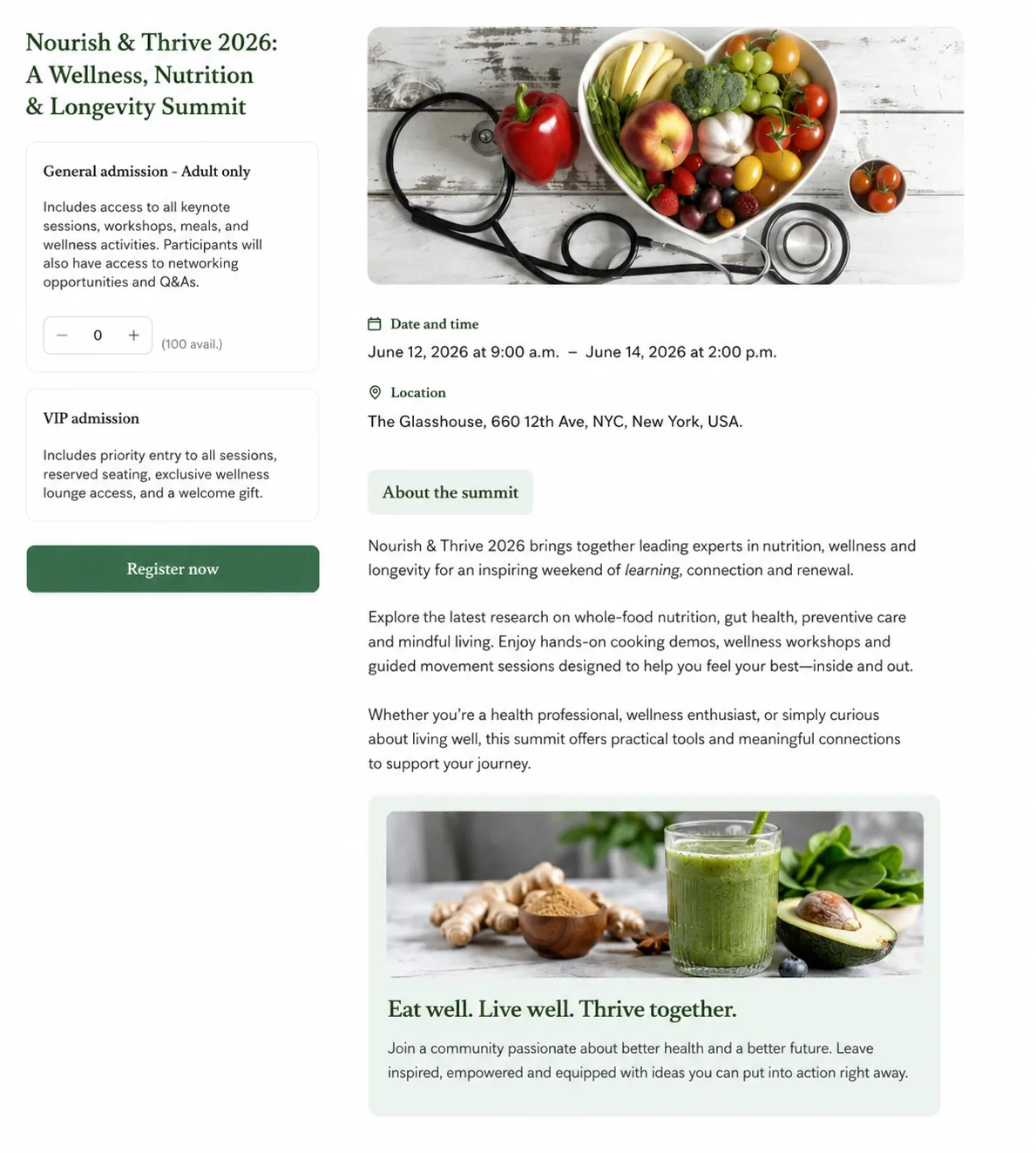
One registration engine, from a one-question RSVP to a paid conference with group delegations. Forms come in 15 languages, payments in several currencies, and the system enforces the capacity and approvals your event actually allows. Every registration becomes the check-in record, so there is no export on event day.
The Nike Experiences program runs headless on Eventtia, connected by API to Nike.com, iOS and Android. It went live in under 90 days. Read the story →
Event registration → Ticketing and payments → Invitation-only events →
Different forms, access, and communications per type.
Ticket tiers, payments, discounts, merchandising.
Curated guest lists with unique invitation links.
Review and approve applicants. Status flows automatic.
Parallel tracks with session-level capacity.
Book a specific time, not just an event.
One lead registering multiple linked participants.
Send email, SMS and WhatsApp from the same place, to segments built from registration data. Messages follow what happens: approve someone and they hear about it, change a session and the people in it get notified, and the thank-you email knows who came. Build emails with a visual editor, save them as templates, and see delivery, opens and clicks for each send.
You're all set. Present the QR code below at check-in. That's the only thing you need at the door.
When
22 May 2026 · 9:00 AM – 5:00 PM (GMT−5)
Where
Centro de Convenciones, Cartagena
Native iOS and Android apps run on the phones and tablets you already have. One QR code per attendee opens every door you allow: the main entrance, sessions, the VIP lounge, the press room. The app keeps working without a network and syncs when the connection comes back. Every scan feeds the live attendance dashboard. Attendees get their own branded event app for the agenda and networking.

Dashboards update while the event runs: registrations, check-ins by session and by hour, campaign results, revenue. Build the report you need and export it. Registration, check-in, app activity and sponsor scans all tie back to the same attendee record, so the funnel is real.
Connect Eventtia to your CRM: Salesforce, HubSpot, Microsoft Dynamics 365, Selligent and Tribe CRM. Send data anywhere else with the REST API and webhooks (API access is an option on the published plans).
A short call, and we set up a working demo with your program in it.
Connect Claude, ChatGPT, Microsoft Copilot, Gemini or Cursor to your Eventtia account. Ask in plain language, and the assistant reads your event data or makes the change for you. It signs in as you and uses your Eventtia permissions, so it can only do what your role allows.
Claude connector and official ChatGPT plugin available.
How the MCP server works → How to use Claude for event planning → Agentic event software →
Add the 40 guests in this list to our Paris product launch event as VIP, confirm them, and tell me how many VIP seats are left.
vip-guests.csv · 40 rowsDone. 40 guests are registered for the Paris product launch as VIP, and all of them are confirmed. 8 VIP seats are left out of 60.
listEventsParis Product Launch
listAttendeeTypesVIP
createAttendee40/40
confirmAttendee40/40
getEventSummary8 left
 Eventtia
Live data
Eventtia
Live data
There are three kinds of tools. Each one fits a different kind of event program.
Comparing with a specific tool? Cvent · Bizzabo · Whova · EventMobi · All comparisons
Nike Experiences runs headless on Eventtia, connected to Nike.com, iOS and Android, live in under 90 days.
Read the story →
VIP events, press activations and client experiences.
Read the story →
Brand activations and corporate events at scale.
Read the story →
Recruitment and internal events across markets.
Read the story →
Conferences and anti-money-laundering certification, on site and hybrid.
Read the story →
Events and professional training programs.
Read the story →“We started less than three weeks before a mega event of 850 participants and 100 panellists.”
“I pay for a pack of attendees and features and run as many events as I need.”
“We coordinate 200-person events on five continents, eight times a year.”
Event management software is a platform for running events from start to finish: the event page, registration and payments, attendee communications, check-in on site and reporting after. One system keeps a single record per attendee, so teams do not move data between separate tools.
Event pages on your brand, registration with several attendee types, ticketing and payments, email, SMS and WhatsApp messages, check-in at the door and at sessions, an attendee app, sponsors and exhibitors, B2B matchmaking, and analytics. All modules share the same data, so an attendee is one record from registration to the post-event report.
Yes, for the program and the people: multi-day agendas, sessions and tracks, capacity per session, speakers, attendee types and team roles. Eventtia does not manage budgets, task lists, vendors or outdoor site plans. Teams that need those use a dedicated tool next to Eventtia.
Start with your events, not a top-10 list. Check six things: which steps of the lifecycle the tool covers; event pages on your own brand and domain; a check-in app that works offline; integrations with your CRM and an API; the pricing model and contract length; and where attendee data is stored. Then ask for a demo with your own event.
Yes. Some free tools let you publish unlimited events and include a check-in app, and charge fees on paid tickets. Before you choose one, check the registration flows you need (approvals, attendee types, sessions), branding and your own domain, team permissions, CRM integration, capacity limits and the fees that apply. With Eventtia, you start with a short call: we build a working demo around your own event. Plans and prices are published on the pricing page.
Yes. Eventtia is not a CRM, it connects to yours: Salesforce, HubSpot, Microsoft Dynamics 365, Selligent and Tribe CRM. For other systems, use the REST API and webhooks. See all integrations.
Yes, two. A native iOS and Android check-in app for your staff, which works offline and scans one QR code per attendee at the door, at sessions and in restricted zones. And a branded mobile app for attendees, with the agenda and networking (Premium and Networking plans).
That is how most customers use it. A typical setup before Eventtia is one tool for registration, another for emails, a third for the on-site app, a spreadsheet for check-in and a manual export for reports. Eventtia brings these together, and the bigger gain is the data: one attendee record from registration to the post-event report.
Prices are published. For 250 registration credits a year, Essential starts at $1,650, Premium at $2,500 and Networking at $3,500, each on a 12-month license. One credit is one registration, and credits are shared across unlimited events, with no per-ticket fees. Premium adds the attendee app and virtual stage; Networking adds B2B matchmaking. API access is an option on these three plans, and integration build work is quoted separately. Implementation, support and upgrades are included. Enterprise is priced per admin user. See pricing for every volume.
A simple registration form can be live the same day. Most first events take a few days, mostly because the program and branding are still being finished. Bespoke programs with custom workflows or complex integrations take four to six weeks, run by our team with yours.
You choose. Eventtia has infrastructure in both the EU and the US, so attendee data can be stored on the side of the Atlantic that matches your compliance needs. Same platform, same features.
Yes. The Eventtia MCP server connects Claude, ChatGPT, Microsoft Copilot, Gemini, Cursor or any MCP-compatible assistant to your account, with 51 tools to read and update events, attendees, sessions and more. The assistant uses your Eventtia permissions. A Claude connector and an official ChatGPT plugin are available, and the MCP server is included in every plan.
In short: published prices, 12-month licenses, no per-ticket fees, flexible registration and branding, and an MCP server in every plan. Each comparison page goes into detail: Eventtia vs Cvent, vs Bizzabo, vs Whova and vs EventMobi.
A short call, no slides. We set up a working demo with your own event in it and give you an honest read on fit, including when Eventtia is not the right tool.
Get a demoHave a quick question first? Ask Evia, our help chat in the bottom-right corner, for answers on pricing, features and fit.


.webp)